An app by Alba Digital Folvista app icon

Folvista

Gallery for your folders

The Photos experience for your folders — no account, no subscription.

Coming soon to the App Store

For iPhone and iPad · iOS 17 or later

See it in action

From your folders to a slideshow.

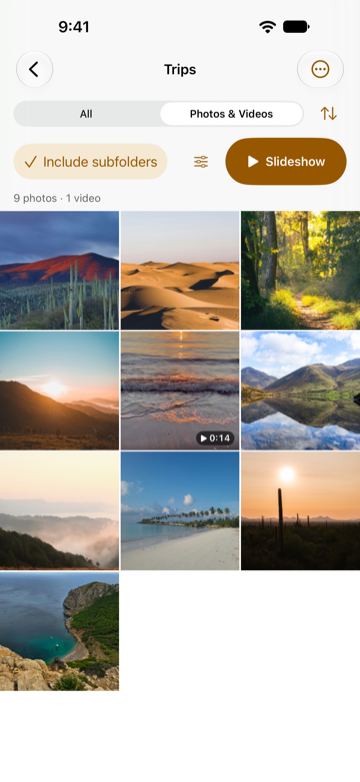
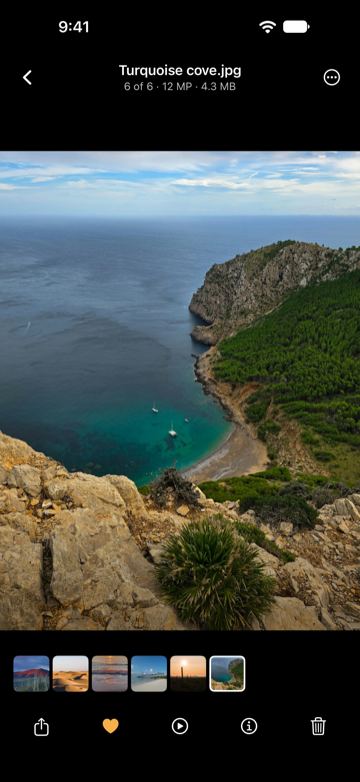
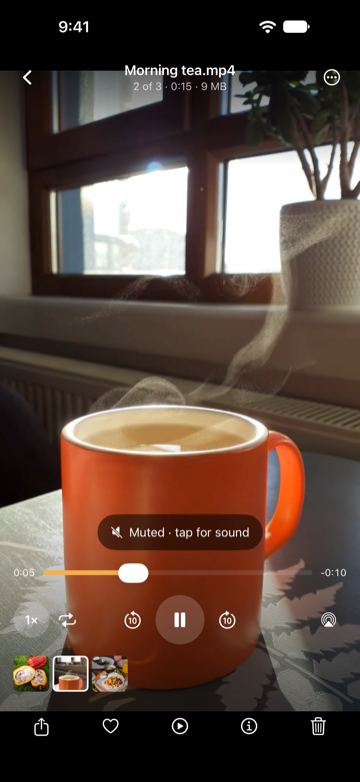
Real screens from Folvista on iPhone: a folder shown as a gallery, the viewer, a video that starts on its own, and a slideshow running by itself.

  1. The Trips folder in Folvista as a grid of landscape photos: 9 photos and 1 video of 14 seconds, with Include subfolders and Slideshow buttons above.
    01GalleryA folder as a grid
  2. Turquoise cove.jpg open in the viewer, 6 of 6, 12 MP and 4.3 MB, with a strip of the folder’s other photos and buttons to share, favorite, start a slideshow, show info and delete.
    02ViewerOne photo, the folder below
  3. Morning tea.mp4 playing in the viewer: steam rising from an orange mug, a “Muted · tap for sound” label, the timeline and playback controls.
    03VideoPlays on its own, muted
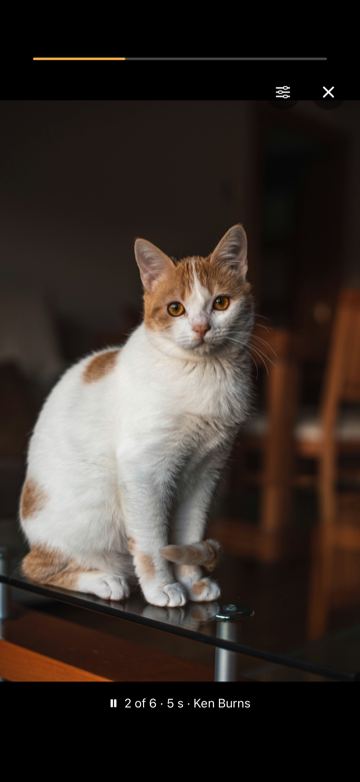
  4. A full-screen slideshow showing a cat on a glass table, with a progress bar on top and the caption “2 of 6 · 5 s · Ken Burns”.
    04SlideshowRuns by itself, with Ken Burns
What it does

Your folders, the way you look at photos.

Folvista is a file manager whose best part is a gallery: everything in a folder, photos and videos together, one swipe after another.

Gallery

Show only photos and videos, include subfolders, and browse a grid that feels like Photos.
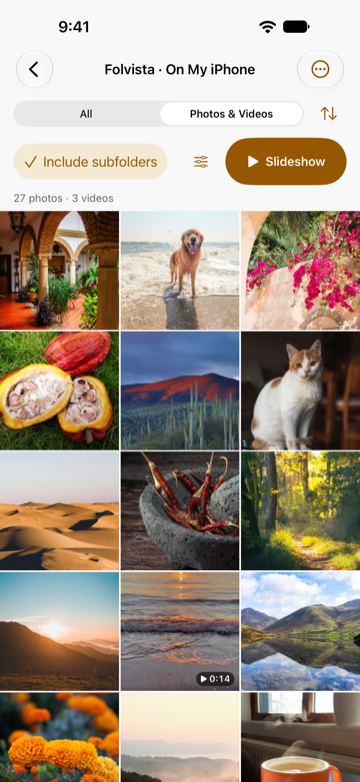
A folder in Folvista with Photos & Videos selected and Include subfolders checked, counting 27 photos and 3 videos in a three-column grid of a patio, a dog at the beach, flowers, cacao pods, a cat and desert dunes.
Include subfolders on: 27 photos and 3 videos from a folder and everything inside it.
Viewer

Swipe photos and videos together

One continuous viewer for everything in a folder, with each file’s details a tap away. Videos start on their own, muted, and keep playing in Picture in Picture.
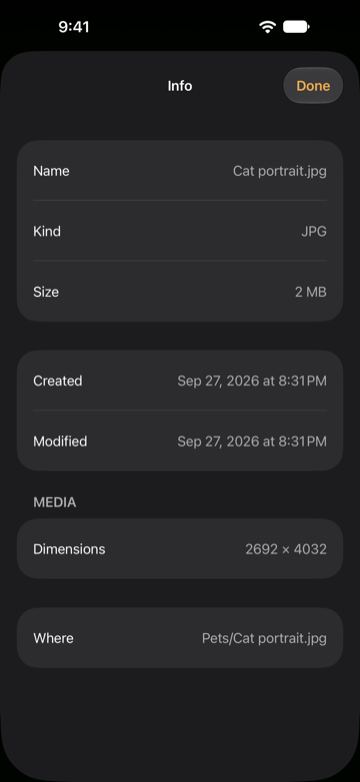
The dark Info sheet over the viewer for Cat portrait.jpg: kind JPG, 2 MB, created and modified Sep 27, 2026, 2692 × 4032 pixels, in Pets.
From the viewer, one tap shows a file’s kind, size, dates, dimensions and folder.
Slideshows

Slideshows that just run

From 1 to 300 seconds per photo, with dissolve, slide or Ken Burns. Whole videos, their first seconds, or just the poster. The screen stays on.
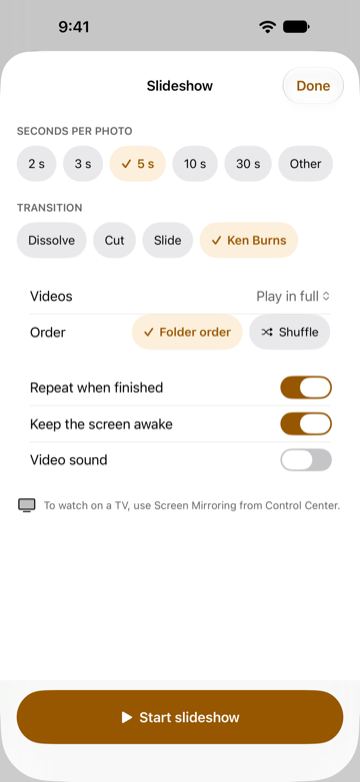
The Slideshow settings sheet: seconds per photo set to 5 s, Ken Burns transition, videos played in full, folder order, Repeat when finished and Keep the screen awake turned on, and a Start slideshow button.
Seconds per photo, transition, videos and order, in one sheet.
File manager

A file manager that checks its work

Move, rename, unzip and search. Moves between locations are verified before the original is removed, and deleting goes to the Trash first wherever there is one.
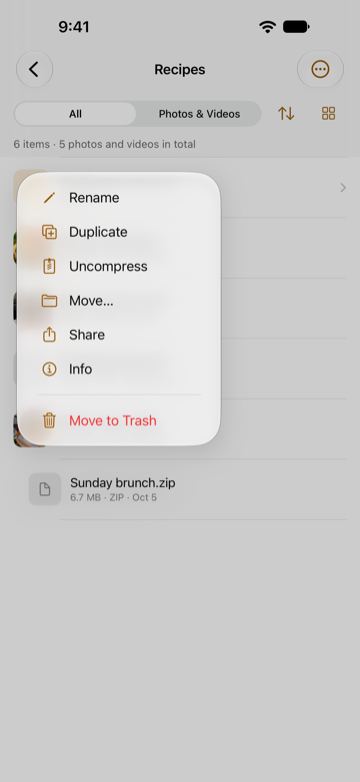
The menu of a ZIP file in the Recipes folder: Rename, Duplicate, Uncompress, Move…, Share, Info and Move to Trash.
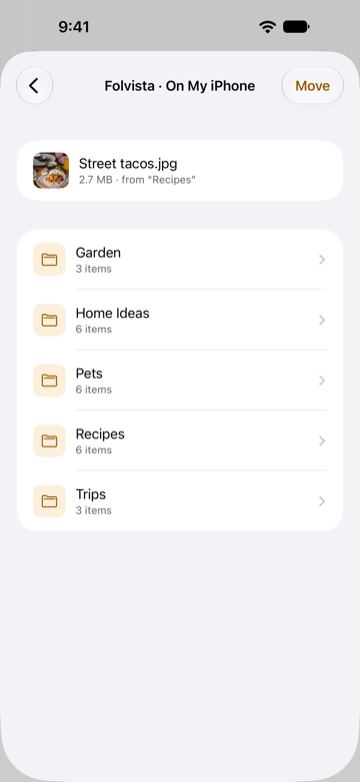
The Move sheet at Folvista · On My iPhone, moving Street tacos.jpg from Recipes, with the folders Garden, Home Ideas, Pets, Recipes and Trips as destinations.
A ZIP’s menu, with Uncompress, and a file on its way to another folder.
Trash

A Trash of its own, for 30 days

What you delete in Folvista’s own folder on your device stays in its Trash for 30 days. Recover one item or all of them, or delete them for good when you decide. Items from iCloud Drive and connected folders go to Recently Deleted in Files.
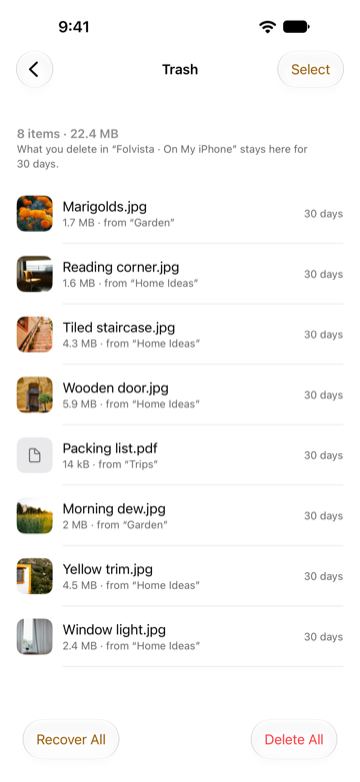
Folvista’s Trash with 8 items, 22.4 MB, among them Marigolds.jpg, Reading corner.jpg, Wooden door.jpg and Packing list.pdf, each with its original folder and 30 days left, and Recover All and Delete All buttons.
Each item shows the folder it came from and the days it has left.
Privacy

No account, no ads, nothing collected

Folvista opens on your locations, the folders you connect and your collections: Recents, Favorites and Trash. There is nothing to sign in to and no analytics. It never reads your photo library: Save to Photos only adds to it.
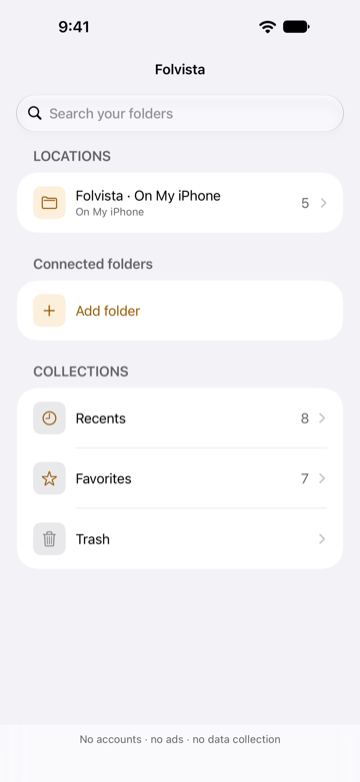
Folvista’s home screen: a search field, Locations with Folvista · On My iPhone, Connected folders with Add folder, and Collections with Recents, Favorites and Trash.
The home screen ends with the same promise: no accounts · no ads · no data collection.
  • iCloud Drive and your own folders

    Open the folders you choose, in iCloud Drive or on your device. Folvista downloads only what you open — never your whole drive.

  • If iOS can open it, Folvista shows it

    HEIC, JPEG, PNG, animated GIF, WebP, RAW, HEVC, ProRes and more — every photo and video format your device decodes.

Also on iPad

Your photos, on a bigger screen.

Folvista runs on iPhone and iPad, with the same folders, viewer, slideshows and Trash. On iPad, the viewer uses the whole screen.
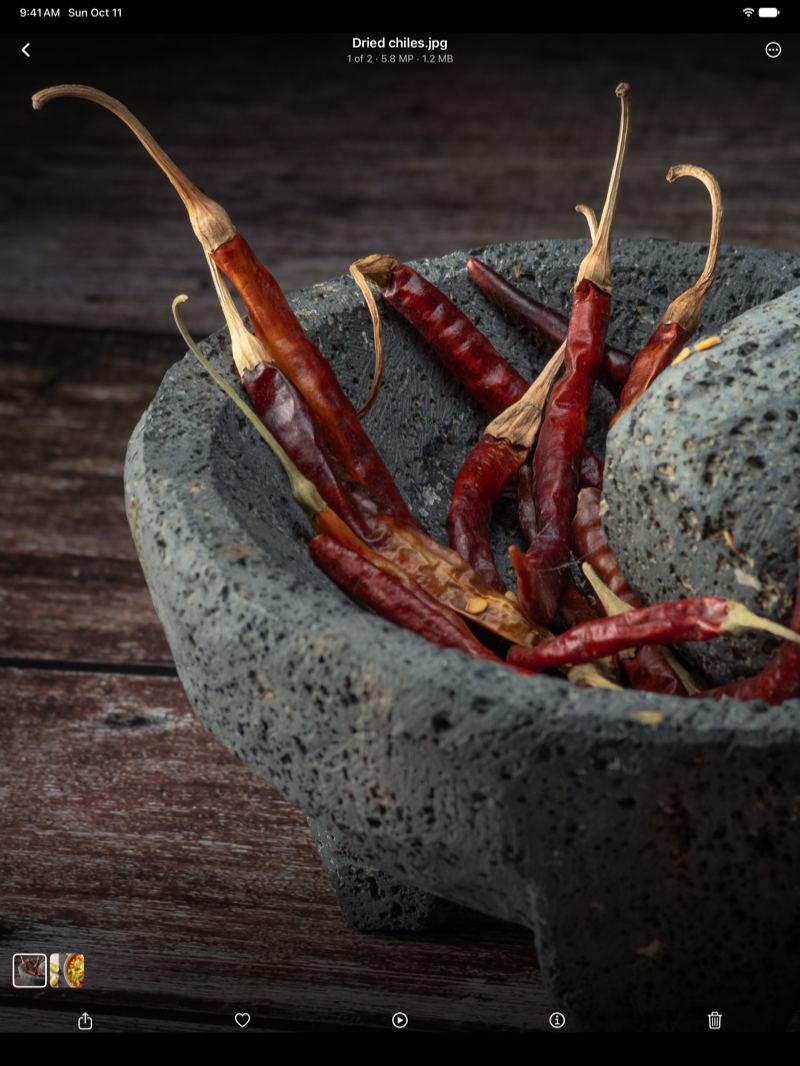
Dried chiles.jpg open in Folvista’s viewer on iPad: red dried chiles in a stone molcajete, 1 of 2, 5.8 MP and 1.2 MB.
The viewer on a 13-inch iPad Pro.

Sample photos and videos in the screenshots: Unsplash and Pexels contributors.

How we build

Alba Digital’s three rules, in a file manager.

The principles behind everything Alba Digital makes hold here too.

  1. 01

    Data sovereignty

    Your files stay where you keep them. Folvista has no account, no servers and no analytics, and it never reads your photo library.

  2. 02

    No friction

    Open a folder, show its photos and videos, tap one: it plays. Nothing to set up, nothing to sign in to.

  3. 03

    Honest status

    Folvista tells you when a file is still in iCloud, when a move has been verified, and before anything is deleted for good.

Read the privacy policy

ALBA — Wellbeing. Evolved.

Folvista is an app by Alba Digital, a technology company from Monterrey, Mexico.